Function Calling is a way to receive the pre-defined JSON-type response from an OpenAI API call.
If you are familiar with OpenAI API, you have observed that it returns the text only. So if you query OpenAI API to list down the list of exercises and you want to show them into repeating groups OpenAI will just return the text that you can't show them into repeating groups.
But now you can-
Here is the step by step to get the pre-defined response using OpenAI -
We are going to fetch the list of recipes based on the user input.
Step 1:
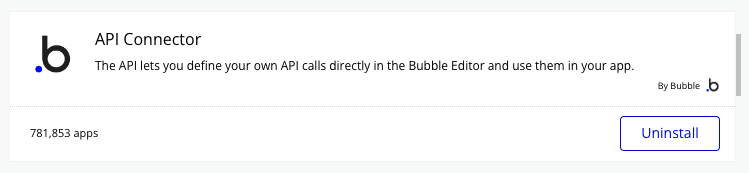
Install the API connector plugin-
Step 2:
Setup the OpenAI API -
Get your OpenAI Key from here-
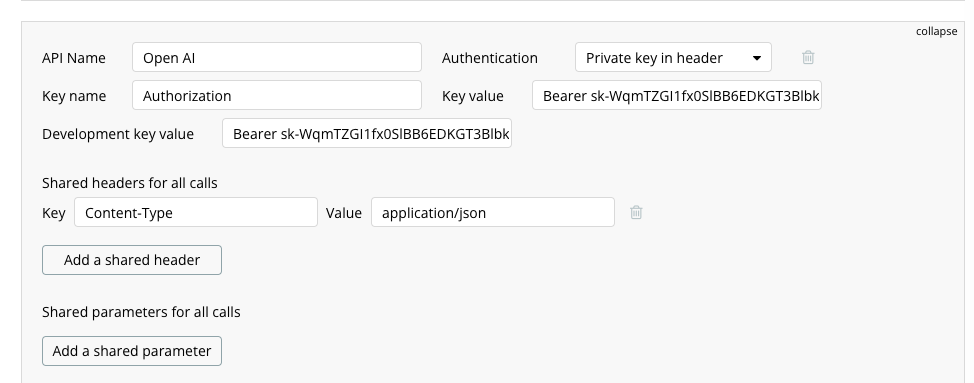
Now, time to set the API -
Since we want a recipe list that's going to be a list of texts- so we are going to pass the JSON-Array with a custom JSON object.
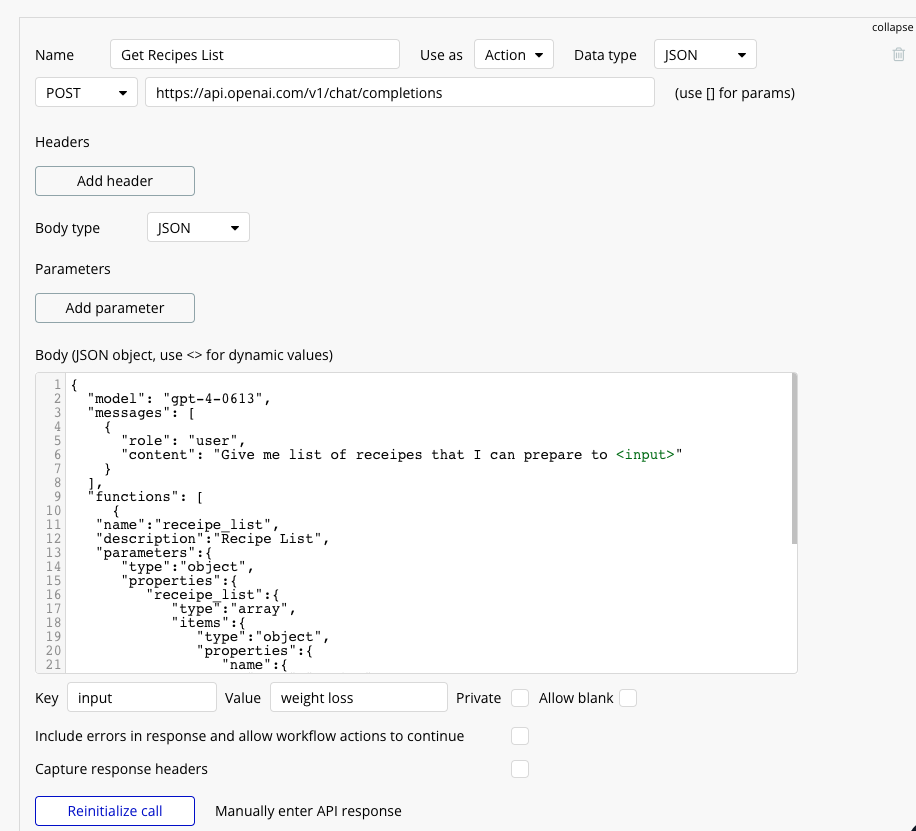
Here is the complete JSON that needs to be passed-
{
  "model": "gpt-4-0613",
  "messages": [
    {
      "role": "user",
      "content": "Give me list of receipes that I can prepare to <input>"
    }
  ],
  "functions": [
     {
   "name":"receipe_list",
   "description":"Recipe List",
   "parameters":{
      "type":"object",
      "properties":{
         "receipe_list":{
            "type":"array",
            "items":{
               "type":"object",
               "properties":{
                  "name":{
                     "type":"string",
                     "description":"Name of receipe, e.g. Lentil Soup "
                  }
               }
            }
         }
      },
      "required":[
         "receipe_list"
      ]
   }
}
  ],
  "temperature": 0.1

}
Step 3-
We need to set up one Backend workflow that will convert JSON string into JSON. Since the response we got from the open ai is in the string we need to convert it into JSON.
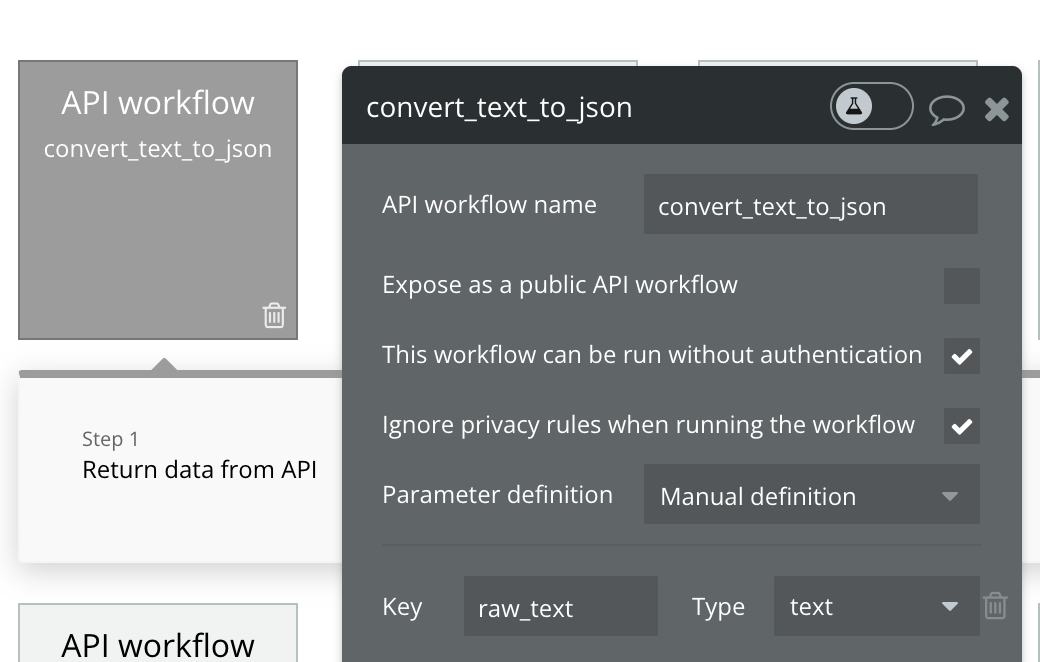
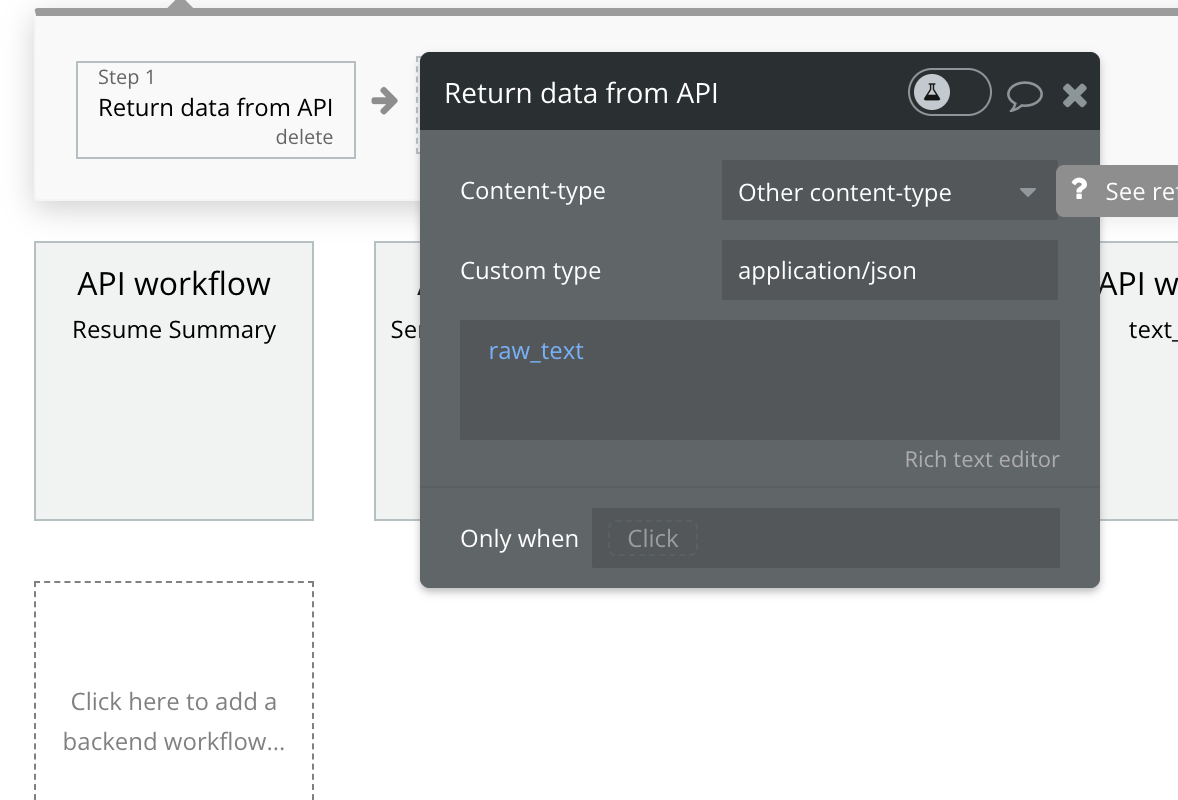
To see how you need to set up the workflow, check YouTube video -
Follow me on Twitter to learn more about Bubble.
Comments
Join the discussionNo comments yet. Be the first to comment.
Bubble Plugin
I have included all the information related to how you can build the Bubble plugin in this series. Check my course on how to build plugin from scratch- https://nocodetalks.co/bubbleplugin